Gmail + WooCommerce · Upcase Pro
Your WooCommerce orders, beside every Gmail email.
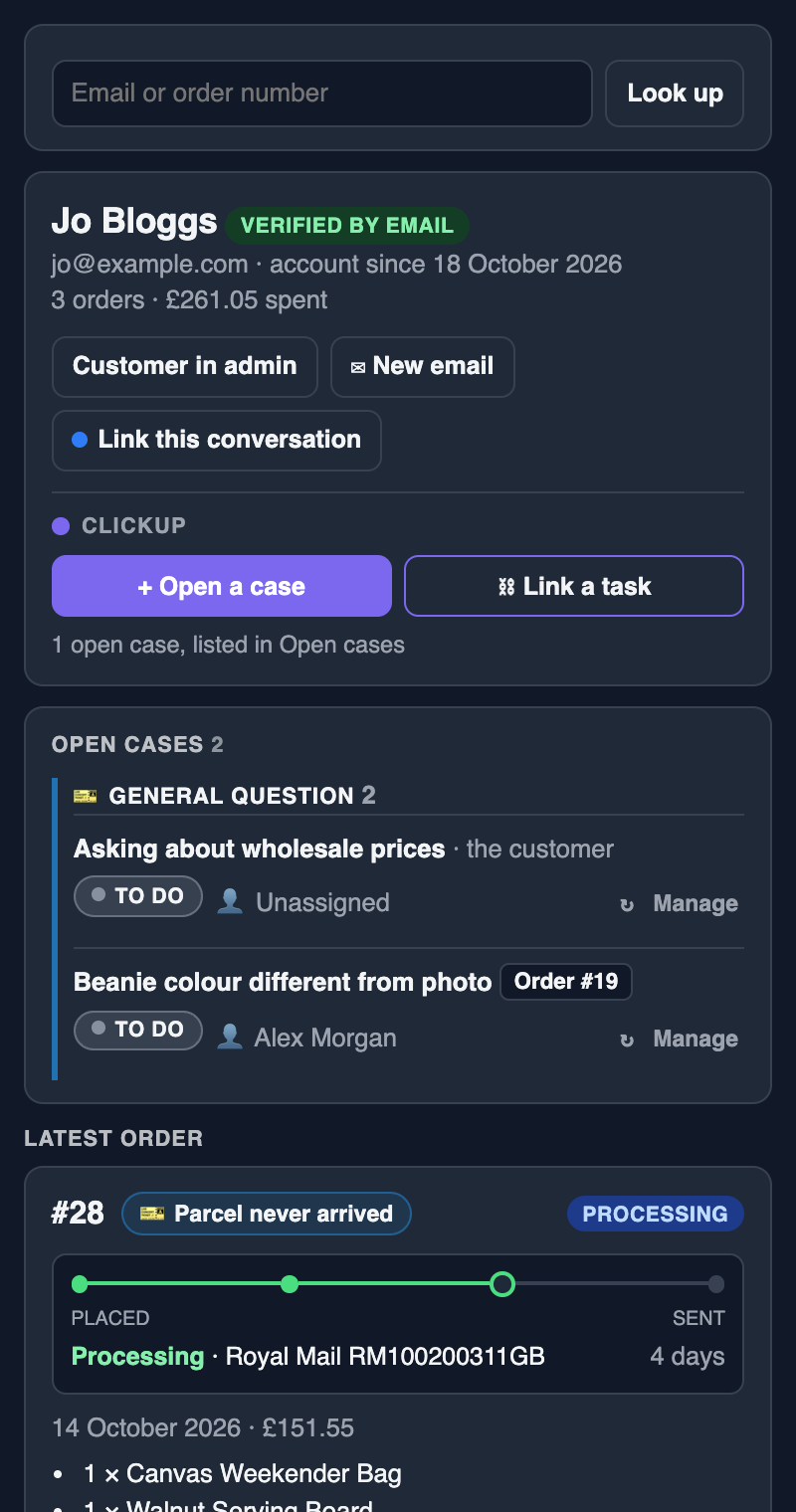
With the free Chrome extension for the Upcase plugin, open an email in Gmail and the side panel shows who sent it: their orders, reships and every ClickUp case. Open a case that quotes the email, without leaving your inbox.
Works with personal Gmail and Google Workspace
The problem
Every reply starts in another tab.
A customer emails asking where their parcel is. You copy their address, switch to WooCommerce, search, find the order, check the tracking, then open ClickUp to see whether someone's already on it. Then back to Gmail to reply.
With Upcase, the order and its cases are already beside the email when you open it.
What it does
Answer, open a case, reship and reorder, all beside Gmail.
Who's writing
The sender's account, order count and lifetime spend, as soon as you open their email. Replies from your own team are never mistaken for the customer.
Their orders
The latest order with its tracking, earlier orders a click away, and reships on their way.
Cases that quote the email
Tap the messages to quote, or attach the whole thread as a file. The task says it was opened from Gmail, with a link back to the email.
Link the conversation
Link the email to an order or the customer, so the next person to open that order can jump straight back to it.
Reship from the inbox
The whole order or chosen items, with a reason, quietly or with a "reship requested" email, waiting for approval before it's packed.
Reorder in a few clicks
Reorder, or start a new order with their details. Check the items over and it's made as Pending payment: nothing is charged, emailed or taken from stock until it's paid.
Email the payment link
Any order waiting for payment, including a reship's postage, has a button that sends the customer the link again, whenever they ask for it.
Beside your orders list too
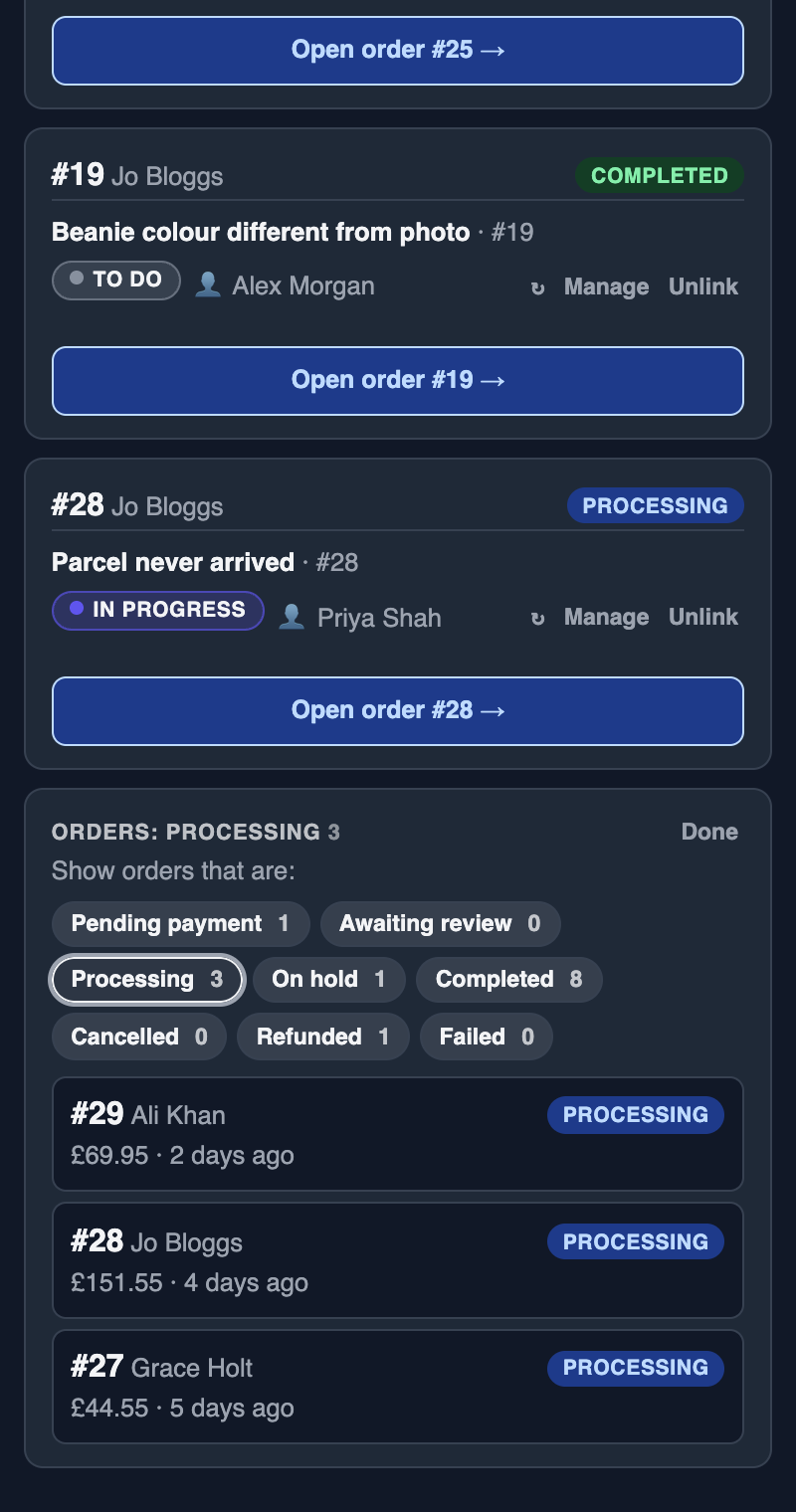
Open cases with their controls, and your orders in the statuses you choose, ready to work through. Go to order takes the tab you're on straight to any order.
Look anyone up
Search by email or order number, or select one on any page and right-click Look up in Upcase.
Beside your orders list
Always something to work on.
Open your WooCommerce orders list and the panel shows every open case with its controls, then your orders in the statuses you choose: Processing to start with, or press Change for on-hold or pending payment ones. Click an order to go straight to it.
Set up in minutes
Three steps, no code.
Allow Gmail
An admin ticks Gmail under WooCommerce → Upcase → Sidebar → Chrome extension.
Make your sidebar link
In WordPress, open your profile and press Make my sidebar link. Each member of staff has their own, private to them.
Add the extension
Install it from the Chrome Web Store, open the side panel, paste your link and tick Gmail.
Your emails stay yours
The extension reads only the email you have open, and only once your shop allows Gmail and you've switched it on. What you quote goes from your browser to your shop and on to your ClickUp. It never reaches us. Read the privacy policy.
Questions
Gmail and Upcase.
How does it work with Gmail?
Through the free Upcase Chrome extension, a companion to the Upcase plugin on your WooCommerce shop. It opens a side panel beside Gmail that follows the email you have open. Each member of staff connects it with a private sidebar link from their WordPress profile.
Does it work with Google Workspace?
Yes. Business Gmail uses the same page as personal Gmail, so it works the same way, including with several Google accounts signed in. Add your business domain to your own email domains in the Upcase settings, so colleagues' replies aren't taken for the customer.
Can I attach the customer's attachments to a case?
Not straight from Gmail yet, because Gmail's files need your Google login to download. Paste or drag them into the case form instead. You can attach the whole email thread as a file.
Do my emails pass through your servers?
No. The extension talks only to your shop, and your shop to your ClickUp. We never see them.
Which plan do I need?
Pro or Agency. The extension itself is free; it uses your shop's licence. The 14-day free trial includes it, with no card needed.
Try it in your own inbox.
Upcase Pro is £199 a year per store, or £20 a month. The 14-day trial includes everything.