ClickUp for WooCommerce
ClickUp support cases, on every WooCommerce order.
Open a ClickUp task from any order with the customer, items, address and tracking already filled in. See its status on the order as your team works, and let ClickUp update the order back.
On the order
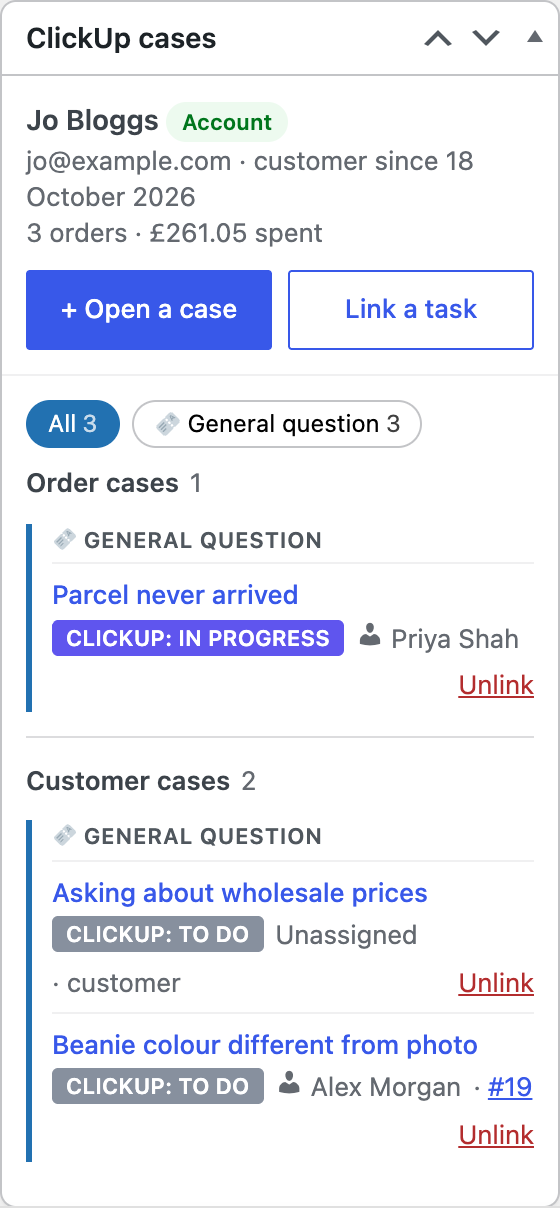
Every case for the order and the customer, in one box.
The ClickUp cases box sits beside each order: who the customer is, what they've spent, and every case for this order or for them, with its live ClickUp status and who's on it.
- This order's cases firstOrder cases at the top, the customer's others below, so you see at a glance which belong here.
- Grouped by categoryRefunds, reshipments, general questions, with counts and filters.
- Live from ClickUpStatuses and assignees update as your team works, through ClickUp's webhooks.
- Link a task you already havePick it from your lists, or paste its link. Unlinking never touches the task.
Open a case
A ClickUp task in seconds, already filled in.
Say what it's about, paste a screenshot, pick a category, done. The task lands in the right ClickUp list with the order's details, your template and the right person, and with anything you've told the form to ask for, so nobody has to chase it later.
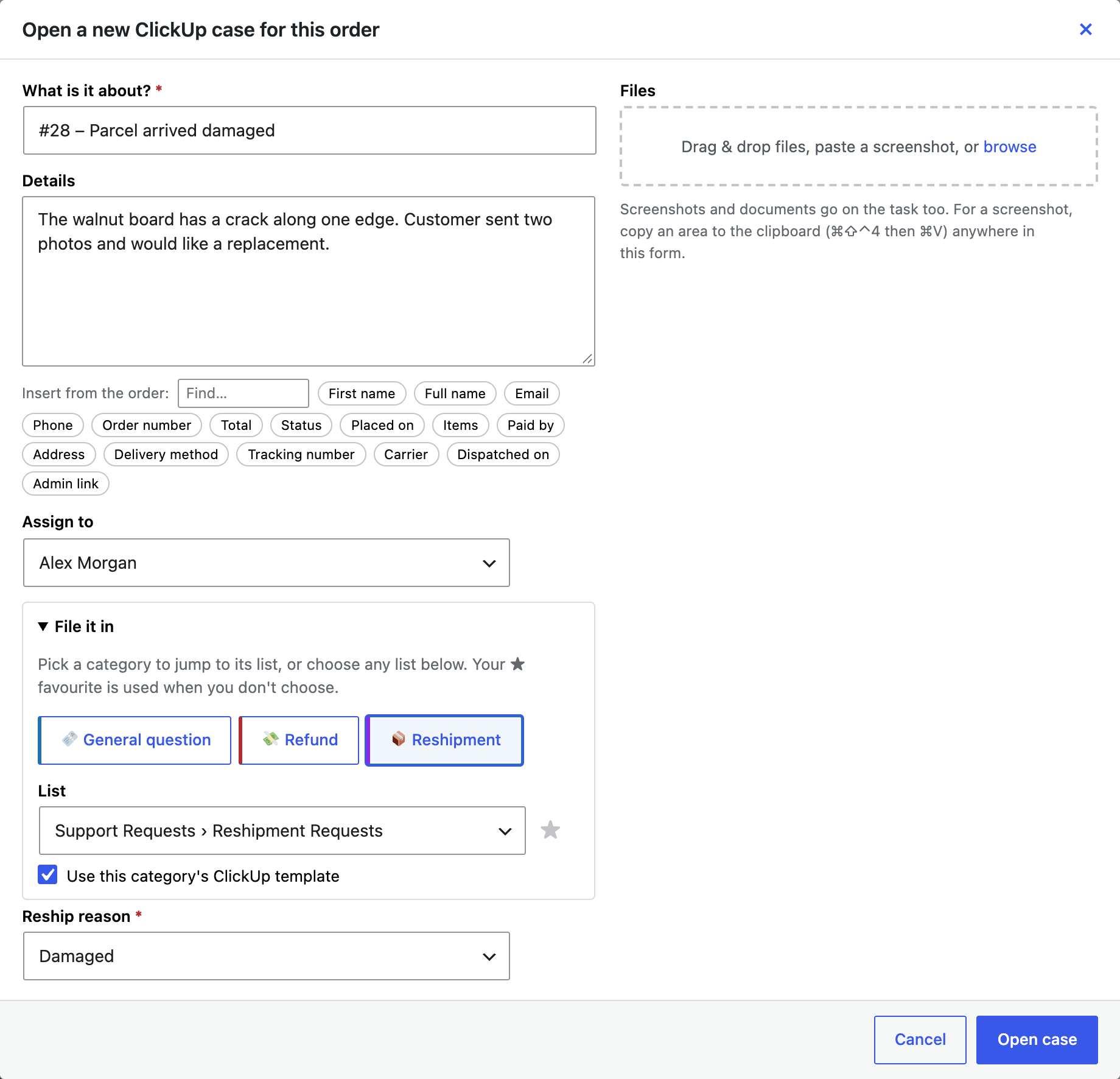
Custom fields, filled
Email, phone with country code, customer name, order number, items, address, tracking, refund amount and reason: matched to your ClickUp fields by name.
Your templates
Each category can start from a ClickUp template, keeping its checklist and layout, with the order's details added underneath.
Never drops a case
Cases are created in the background. If ClickUp is busy, Upcase waits and tries again, and nobody waits on a spinner.
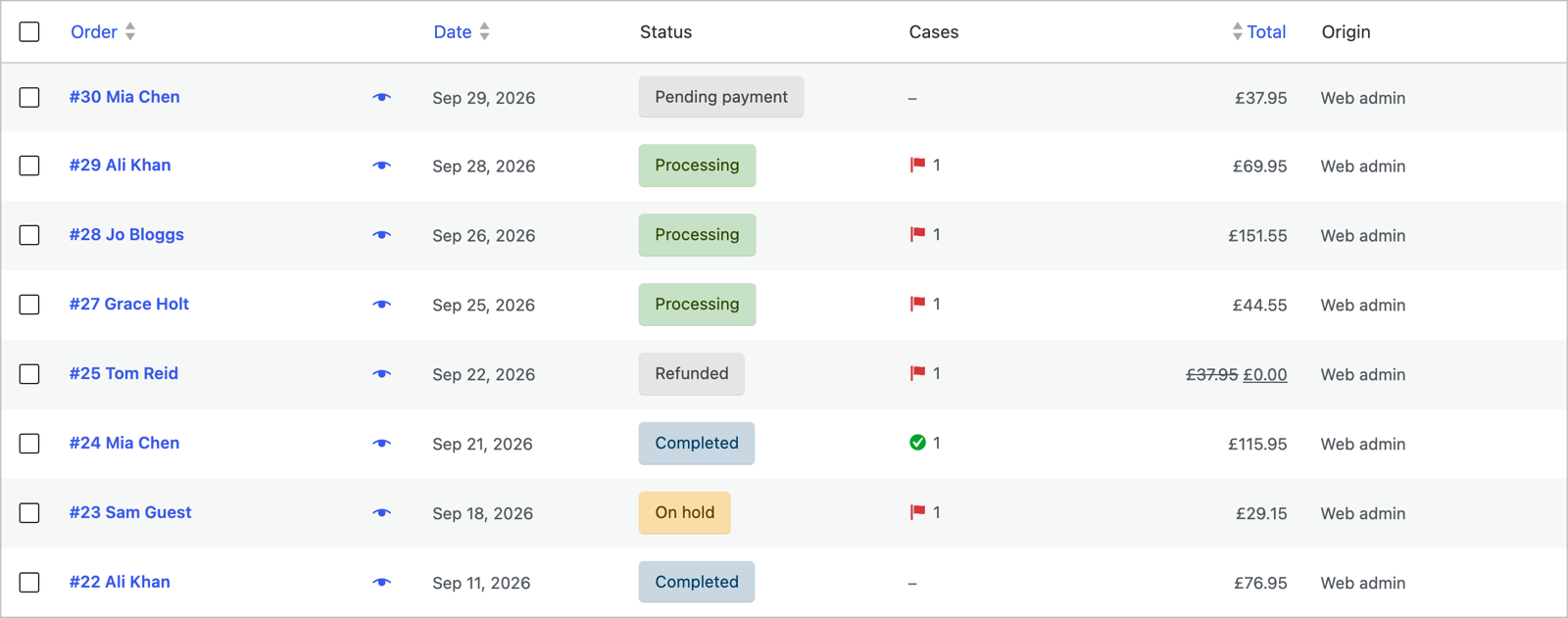
The orders list
See which orders need attention.
A Cases column on WooCommerce's orders list shows every order with an open case, and which have been dealt with, so nothing waits unnoticed.
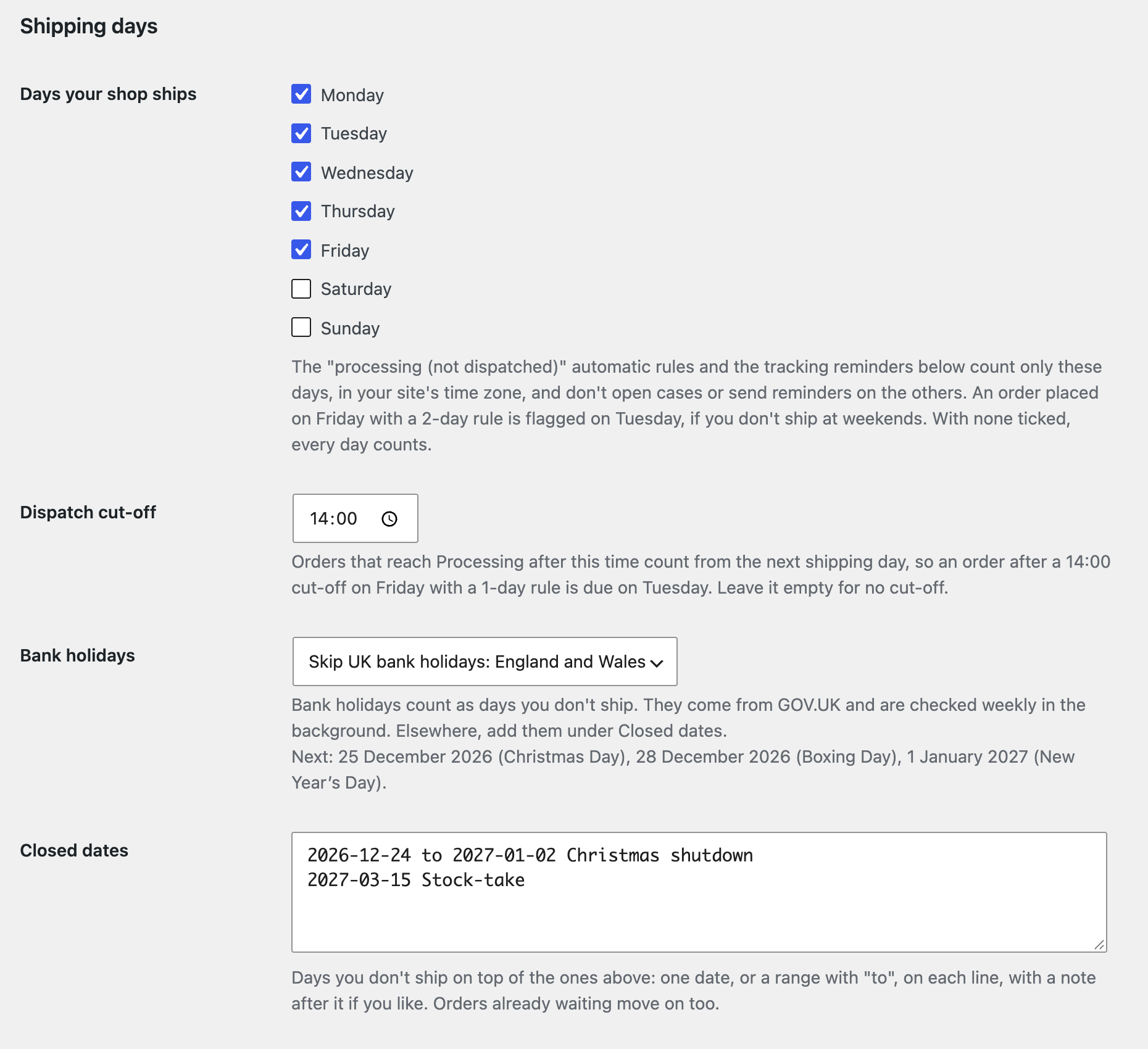
Shipping days
Alerts that know when you're closed.
Tell Upcase the days you ship, your dispatch cut-off and the dates you're shut. UK bank holidays come from GOV.UK. The "not dispatched yet" rule and the reminders for reships waiting on tracking skip the rest, so Monday doesn't start with a pile of weekend false alarms.
Straight from your shop to your ClickUp
Order and customer details go from your WooCommerce straight to your ClickUp, never through us. Read the privacy policy.
Questions
ClickUp and WooCommerce.
How do I connect ClickUp to WooCommerce?
Install the Upcase plugin, press Connect ClickUp (or paste a personal API token), choose your workspace, and set up categories that file cases into your ClickUp lists. The ClickUp cases box then appears on every order. The setup guide walks through it.
Does it fill ClickUp custom fields from the order?
Yes, matched by name, and each category can preset fields and an assignee. Dropdown fields fill themselves when the value matches an option.
Does it work with HPOS?
Yes, with WooCommerce's high-performance order storage and with the older storage too.
Does order data go through your servers?
No. It goes from your shop straight to your ClickUp.
Can my team work from their inbox too?
Yes, with Upcase Pro: the same cases and orders beside every conversation in Missive, Gmail and WhatsApp Web. See integrations.
See it on your own orders.
From £79 a year per store. The 14-day trial includes every Pro feature, and staging sites are always free.